
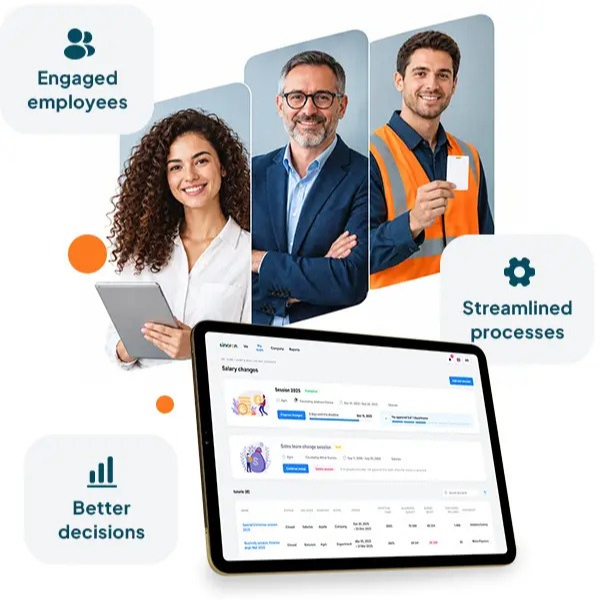

Feature-packed HR software demos often look impressive but can leave your team juggling unused modules and spreadsheets. Paying for features that don’t fit your real workflows wastes time and money while onboarding stays inconsistent and compliance remains unclear. This practical HR software evaluation guide helps you focus on implementation, adoption, and outcomes so your nonprofit or SMB invests in tools your team will actually use. Start with a free demo, then map your people processes and build an implementation plan during a free 60-day Implementation Trial (FIT).
Identifying Unnecessary HR Features
Are you investing in HR software that overpromises but underdelivers for your organization? Many tools boast numerous features, but only a fraction may truly benefit your team. Let's explore how to pinpoint what your organization truly needs.
The Hidden Costs of Feature Bloat
Feature bloat can sound harmless, but it drains resources. You might pay for advanced analytics or complex modules you never use. This not only wastes money but also clutters your processes, making it harder to find the tools you really need. When features are unused, they often lead to confusion and inefficiency. Your team ends up navigating a maze of options, which can slow productivity rather than enhance it. Consider evaluating your current software to see if you're experiencing this hidden cost.
Evaluating Real Needs Over Aesthetic Demos
When you watch a demo, it's easy to get swept away by flashy presentations. But what looks good in a demo might not work well in your environment. Focus on what your team really needs daily. Aesthetic appeal should never replace functionality. You should ensure that the software aligns with your workflow and can be easily adopted by your team. Remember, a practical tool that fits well with your existing processes can deliver more value than a feature-rich one that doesn't.
Commonly Overlooked Workflow Essentials
It’s easy to overlook basics when dazzled by fancy features. However, essentials like structured onboarding, compliance tracking, and document management are vital. These foundational elements ensure smooth operations and help in maintaining compliance and consistency. They might not be the most exciting parts of the software, but they are often the most critical. Make sure these essentials are covered and well-integrated into your chosen system.
Evaluating HR Software Effectively
 Sincron Virtual HR gives organizations access to HR support remotely, alongside their Sincron HR Pro system.[/caption]
Choosing the right HR software involves more than just checking off a list of features. It requires a keen understanding of how the software will affect your outcomes and fit into your existing processes.
Building an Outcome-Focused HRIS Selection Checklist
Start by creating a checklist that emphasizes outcomes over features. List the specific goals you want to achieve, like reducing manual data entry or improving onboarding consistency. This checklist will guide you in selecting a system that addresses real needs rather than just offering a broad array of features. By prioritizing outcomes, you can ensure that the software you select will drive real improvements in your organization.
Mapping HR Processes for Better Adoption
Before implementing new software, map out your current HR processes. Identify areas that need improvement and how the new software can help. This mapping exercise helps you see where the software fits and ensures smoother adoption. It minimizes disruption and helps your team adjust to new tools more readily. With a clear map, you can also gauge how well the software aligns with your existing workflows.
Reducing Administrative Workload Through Practical Trials
Consider practical trials that let you test software functionalities in real-world scenarios. A trial period allows you to experience the software's impact on your workload and process efficiency. It helps you assess whether the tool truly reduces administrative tasks or merely shifts them around. Real-world use can reveal whether the software enhances or hinders your team's productivity, offering insights that a demo alone cannot provide. Sincron HR’s free 60-day Implementation Trial (FIT) is built for exactly this: your consultant configures the system around your workflows, and one manager and one employee pilot it from Day 46, all before you pay anything.
Choosing the Right Implementation Partner
 Sincron HR Pro helps HR teams track required HR tasks and records in one cloud-based HRIS, making compliance easier to manage.[/caption]
Finding the right partner for your HR software implementation can make or break your modernization efforts. It’s about more than just choosing a vendor; it’s about selecting a partner who understands your needs and supports your goals.
The Importance of Guided Implementation
Guided implementation is crucial for successful adoption. An experienced partner will offer structured support, helping you configure the software to meet your specific needs and ensuring a seamless transition. Without guided support, you risk overwhelming your team and missing out on the software's full potential. A good partner will walk you through each step, from setup to go-live.
Ensuring Structured Onboarding and Compliance Tracking
A strong implementation partner will ensure your onboarding process is structured and aligns with compliance requirements. This structured approach helps prevent compliance issues and helps maintain consistency across your operations. Compliance tracking is an integral part of HR management, and having a partner to guide you can significantly reduce risks.
Calculating the Total Cost of HRIS Ownership
Understanding the total cost of ownership (TCO) is key to making an informed decision. TCO includes not just the upfront costs but also ongoing expenses like maintenance, support, and training. Don't be caught unprepared by hidden costs that arise after purchase. Calculate your TCO to see if the software truly fits your budget over the long term. With Sincron HR Pro, the total cost is published upfront: a free 60-day Implementation Trial, a one-time $1,799 Go Live fee ($899 for nonprofits), then $12.50 per user per month ($10 for nonprofits), with every core module included and no long-term contract. Optional add-ons are priced separately, so you only pay for extras you choose.
Frequently Asked Questions
What is feature bloat in HR software?
Feature bloat occurs when software includes more features than necessary for its users, leading to wasted resources and decreased efficiency.
How can I evaluate HR software effectively?
Focus on your organization's specific needs and desired outcomes. Create a checklist that emphasizes practical results over mere features.
Why is guided implementation important for HR software?
Guided implementation ensures that the software is configured to meet your specific needs, facilitating smoother adoption and better outcomes.
How do I calculate the total cost of HR software ownership?
Consider all costs, including purchase, setup, maintenance, and training. This comprehensive view helps prevent unexpected expenses later on.
What are the essentials for HR workflow?
Essentials include structured onboarding, compliance tracking, and document management. These elements are crucial for maintaining efficient and compliant operations.
Ready to Get Started?
Schedule a free demo, or jump straight into a free 60-day Implementation Trial (FIT) and get hands-on with the platform before anything costs a dollar.